
Downloading a Suno video gives you an MP4 you can send, upload, or edit outside Suno. Use the song’s share link in SunoSaver to save the available video to your phone or computer.
Download the MP4 from a Suno song link
Use a song you created or have permission to save.
- Open the individual song in Suno and copy its share link.
- Paste it into the SunoSaver song downloader.
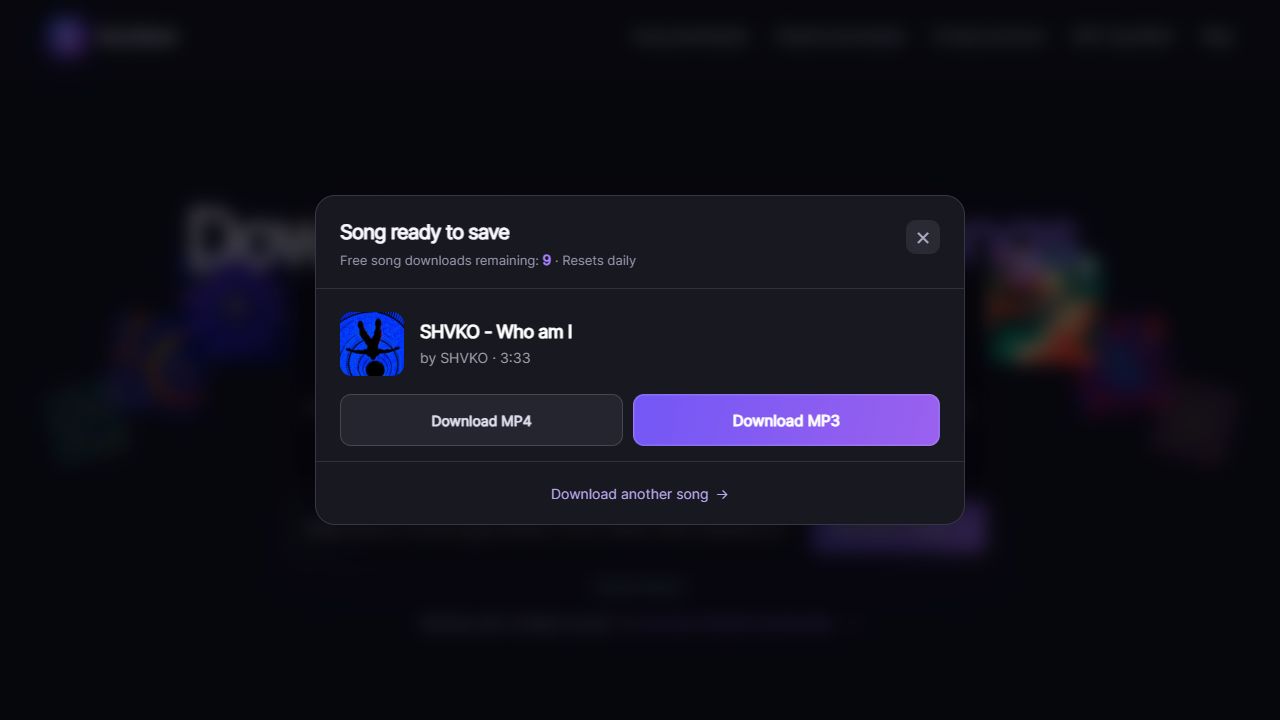
- Choose Download a Song and check the returned title and creator.
- Select Download MP4 when available. Wait for the browser to finish saving the file.
Find and open the MP4
On a computer, open your browser’s downloads list and use the file’s folder shortcut to locate the completed MP4.
On iPhone, open Files → Browse, then find Downloads under iCloud Drive or On My iPhone, depending on Safari’s download setting. To keep a copy in Photos, open the MP4’s share menu and choose Save Video if that option appears.
On Android, open Chrome → ⋮ → Downloads, or find the MP4 in your file manager’s Downloads folder. Tap the file to play it.
Use your Suno video anywhere
Once the MP4 is saved, you can share your song, bring it into a video edit, or send it to someone else.
- Share your song: upload the video to YouTube.
- Make a short clip: trim your favorite part for TikTok, Reels, or Shorts.
- Get feedback: send the video to friends or collaborators.
Download Your Suno Song Video Now
Paste your Suno song link into SunoSaver, then select Download MP4 to save the video to your phone or computer.
Download Suno Video