

Quick answer
For songs already available in your Suno account, use Suno’s own multi-song download controls first. SunoSaver helps you organize and filter an accessible playlist of music you are authorized to save; it does not replace Suno’s download limits or access rules.
Download multiple songs from Suno first
In your Suno Library or Workspace, select the songs you want and use Download All to create a ZIP file. This is the official route for downloading multiple songs that are already available in your account.
Check Suno’s official download guidance for the current controls, plan limits, and availability.
When you need to review a playlist, separate finalists from drafts, and prepare a clearly named backup set, SunoSaver helps with that organizing work in one session.
How to download a playlist with SunoSaver
Copy the playlist link
Open the playlist in Suno and use the share button to copy its full URL.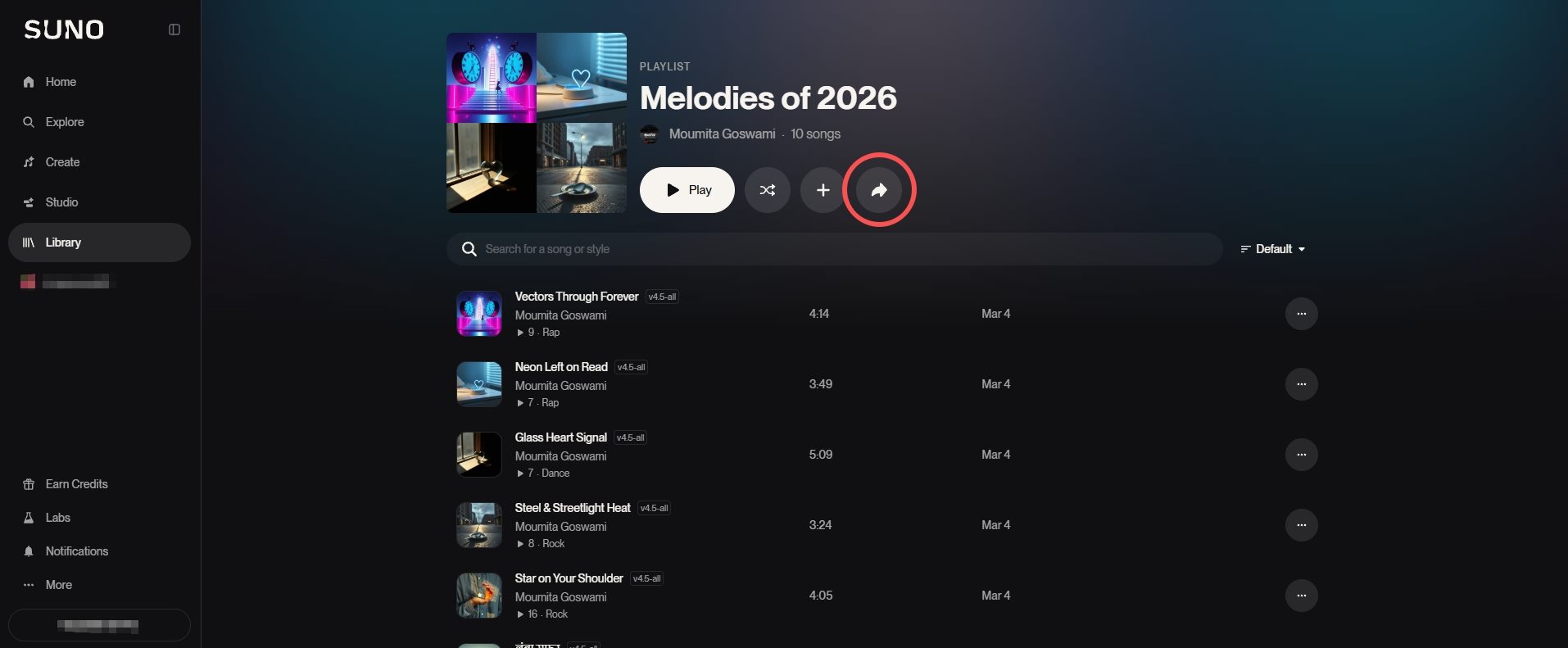
Paste it into SunoSaver
Open the Suno Playlist Downloader, paste the link, and select Download a Playlist.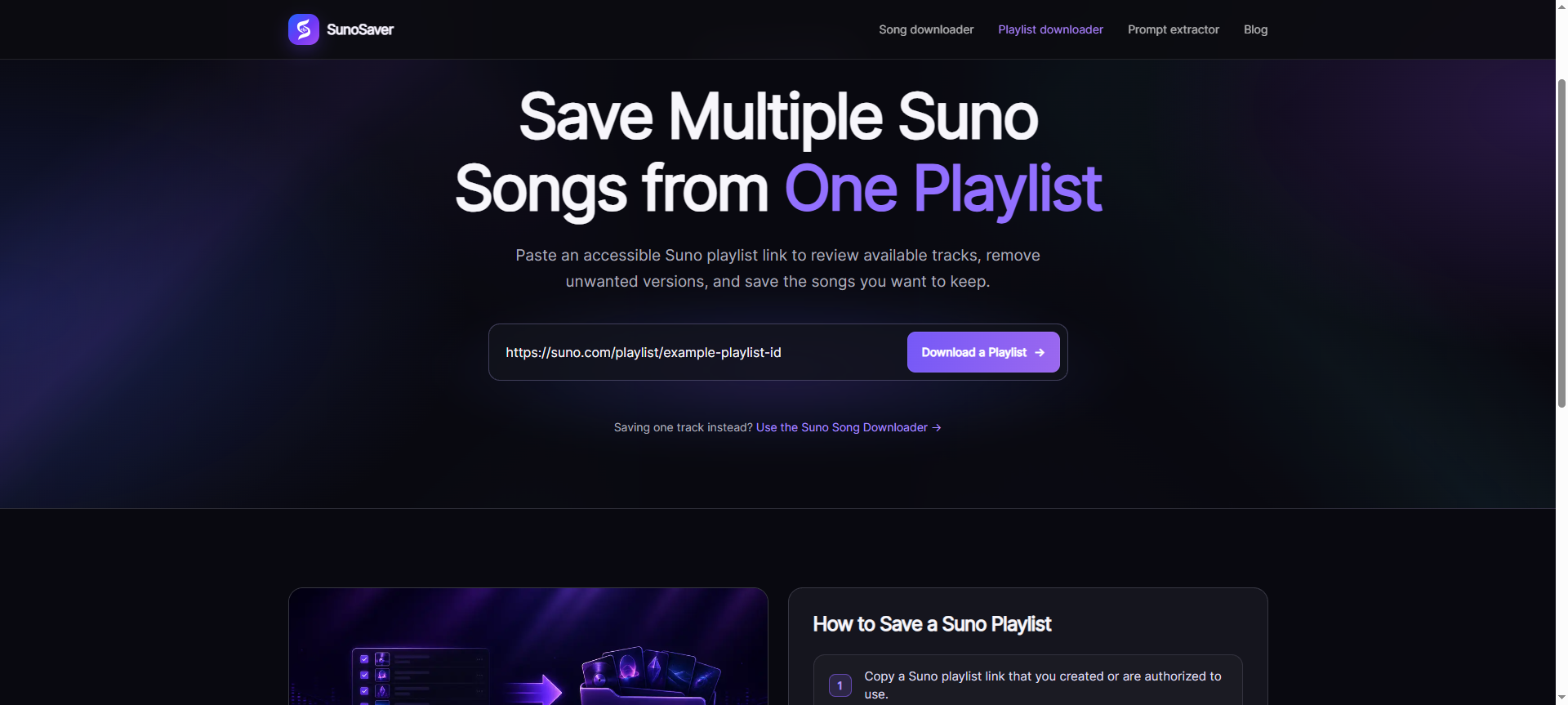
Check the results
Review the titles and remove drafts, duplicates, or versions you do not want.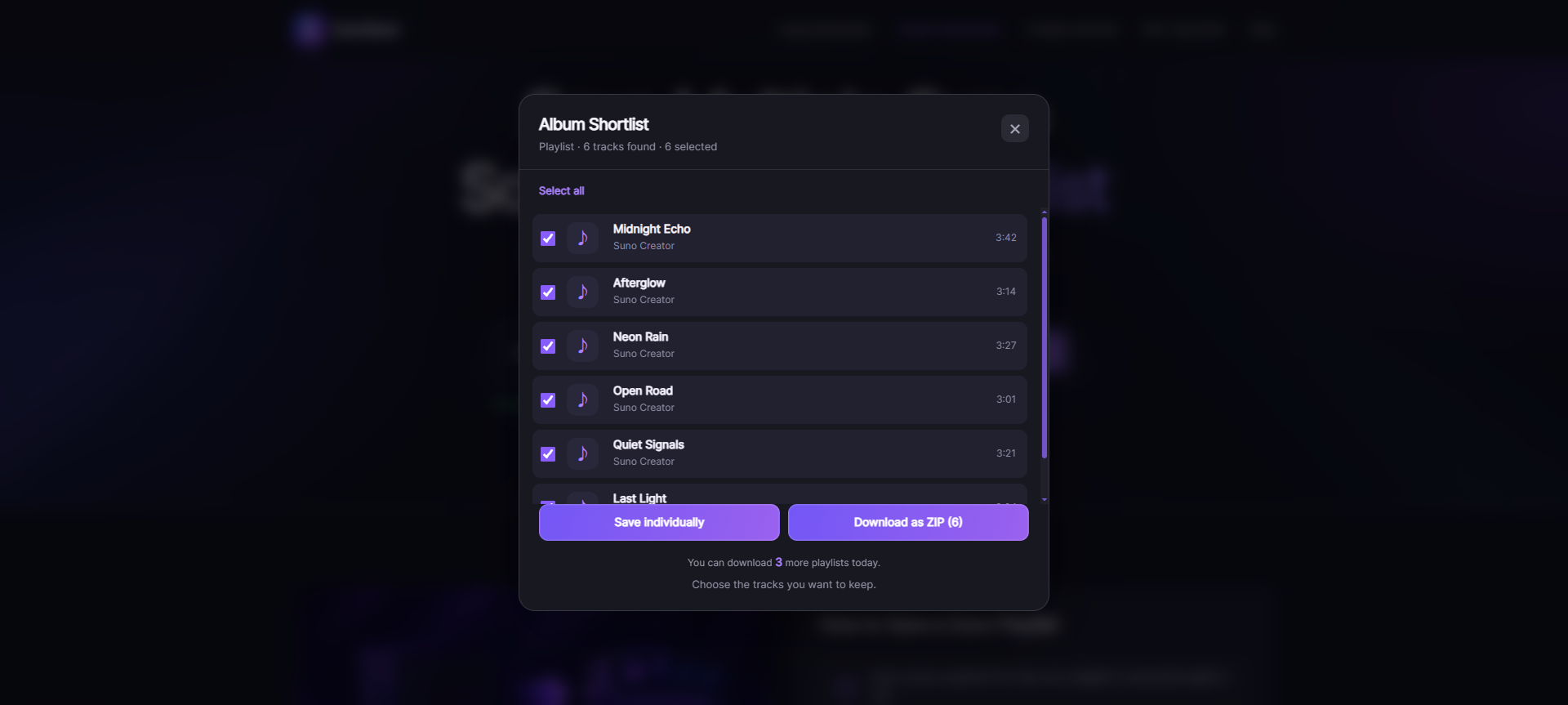
Choose a download option
Save a few songs individually, or use Download as ZIP to collect the selection in one file.Check the files
Open the download and make sure the songs you expected are present.
That is the organizing workflow. It only works with tracks that are accessible at the time you review the playlist.
Official downloads and playlist organization
Use Suno’s download controls for songs already available in your account. Use SunoSaver to review, filter, and organize a playlist of music you created or are authorized to save. Neither changes ownership, licensing, usage rights, or access restrictions.
| Comparison point | Suno | SunoSaver |
|---|---|---|
| Starting point |
|
|
| Selection |
|
|
| File collection | Download the selected songs with Suno’s available controls. | Prepare a filtered selection, then save the available files individually or as one ZIP. |
| Usage rights | Rights depend on the plan and terms that applied to each song. | Using the tool does not add or change ownership, licensing, or usage rights. |
| Best fit |
|
|
For current account options and usage terms, refer to Suno’s download guidance and Rights & Ownership guidance. Review the applicable terms before publishing or monetizing a song.
Only need part of the playlist? Follow the Suno bulk download guide to select the songs you want, save them individually or as a ZIP, and check for missing files.
When a playlist download is useful
The obvious reason is speed, but the downloaded collection is useful in several common situations:
- Back up your own work. Keep a local copy of songs you do not want to leave only in an online library.
- Review a project away from Suno. Listen to drafts in your usual player or send an authorized review set to a collaborator.
- Collect the best versions. Remove the weak versions and download the finalists together.
- Prepare an offline listening folder. Keep a personal collection available without depending on a browser connection.
The playlist is doing the organizing before the download. SunoSaver’s job is to turn that collection into files without making you repeat the same action for every song.
Individual files or one ZIP?
| Choose | When it makes sense |
|---|---|
| Save individually |
|
| Download as ZIP |
|
For a whole playlist, ZIP is normally the cleaner choice. For a short selection, individual downloads are just as practical.
If the playlist looks incomplete
First compare the results with the original playlist. Private, restricted, removed, or otherwise inaccessible tracks are not processed, so an item may not appear when the playlist or that track is unavailable at the time it is checked.
Confirm that the playlist still opens, then try the link once more. If the result stays the same, save the available selection and note which items need a separate check.
Keep enough context to recognize the download
You do not need a complicated catalog for every playlist. Keep the original playlist URL, the download date, and a short folder name that explains the project. Note which versions you kept, and open the finished files once to confirm that the collection is complete. If a track needs more detailed organization later, use How to Save a Suno Song with Details You Can Find Later.
Only download music you created or are authorized to use. Access to a playlist does not by itself grant permission to publish, redistribute, or monetize its songs.
Frequently asked questions
Can I download a whole Suno playlist at once?
Paste an accessible playlist link into SunoSaver, review the songs that load, and download the selection as a ZIP.
Do I have to download every song?
No. You can deselect songs before downloading, which is useful when a playlist contains drafts or alternate versions.
Why are some songs missing?
An item may not appear when the playlist or that track is not accessible at the time it is checked. Compare the result with the original playlist before trying again.
Should I use Suno’s download option or SunoSaver?
Use Suno’s own option when you are already selecting songs inside your Library or Workspace. Use SunoSaver when you are starting with an accessible playlist link.
Can I reuse songs from a public playlist?
Only if you created the music or have permission to use it. Being able to access or download a song does not change its ownership or license.
Next step
Download a playlist without opening every song
Start with the playlist link, review the available songs, and save the collection in one session.
Open Playlist Downloader