

Quick answer
For a song you created or are authorized to use, keep the audio together with a recognizable title, the original source link, and any available creative details. This makes the file useful long after the first download.
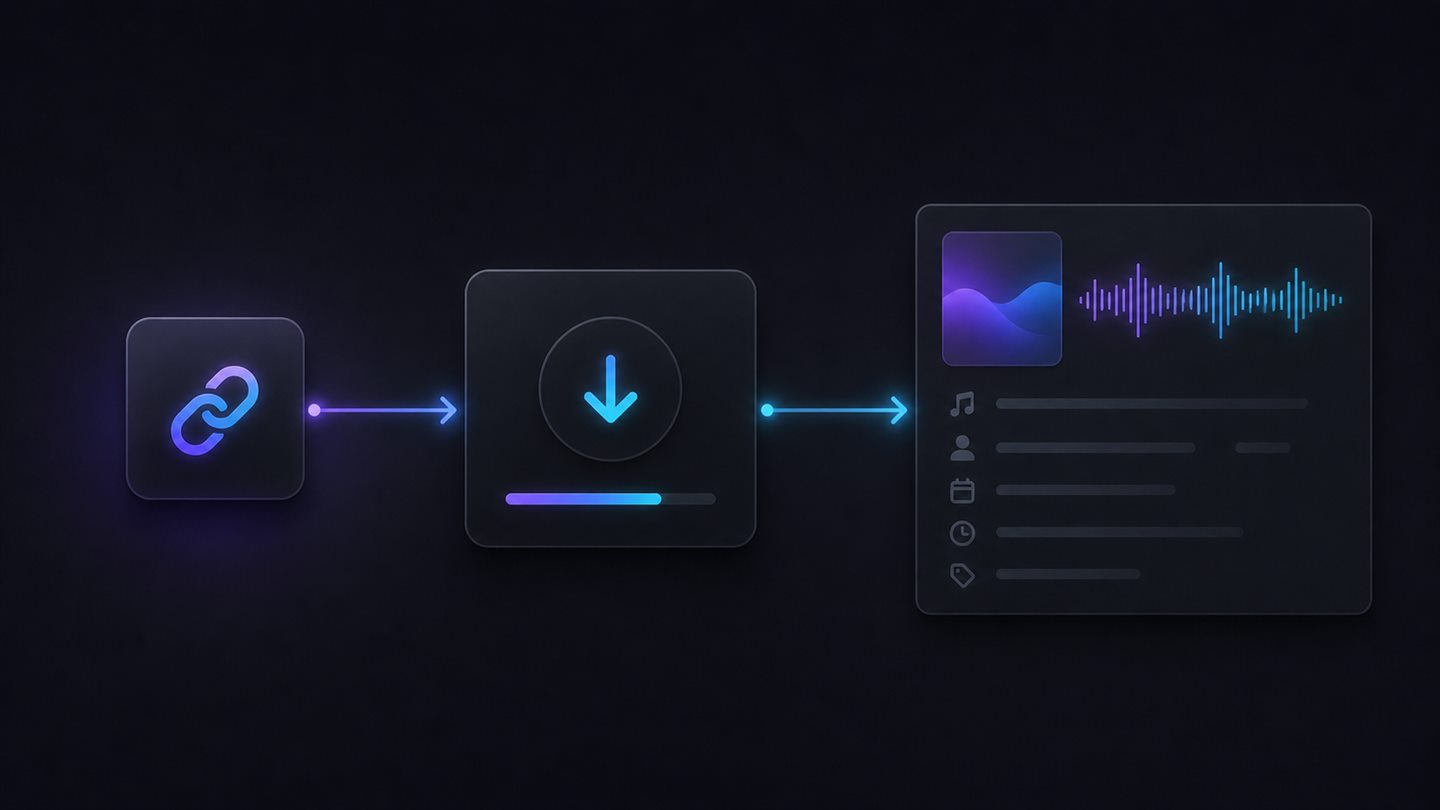
Before you download a song
Confirm access and applicable rights
Start with the original song page. Confirm that the music is accessible to you and that you created it or have permission to use it. A downloaded file does not change ownership, licensing, or commercial-use rights.
- Use the original song link rather than a copied file from an unknown source.
- Keep the project, version, or creator information that will distinguish this track from similar versions.
- Review the applicable rights before publishing, sharing, or monetizing the music.
Download the song and its context
Use the Suno Song Downloader to start from an accessible song link. Then download the track and keep the useful information you can see on its original source page.
Copy the song link
Begin from the original page for the song you want to keep.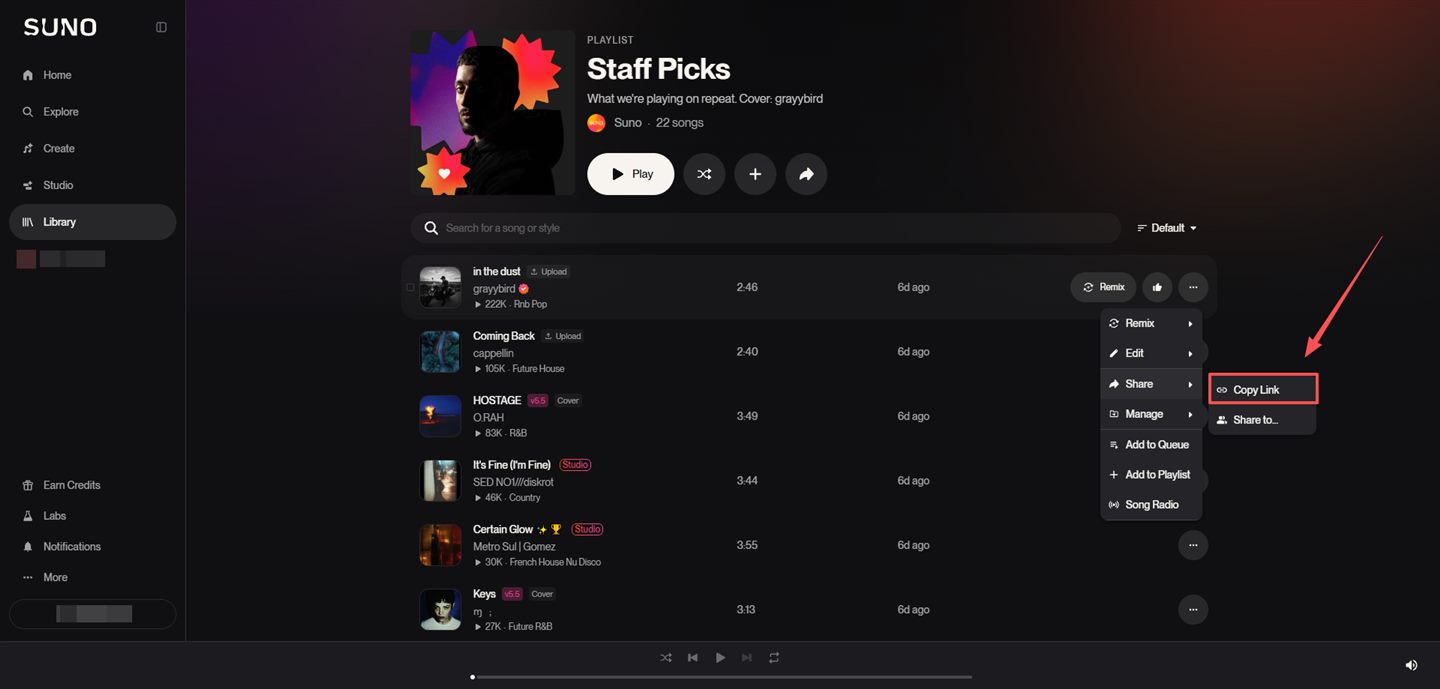
Paste the link into SunoSaver
Submit the accessible song link to review the available download options.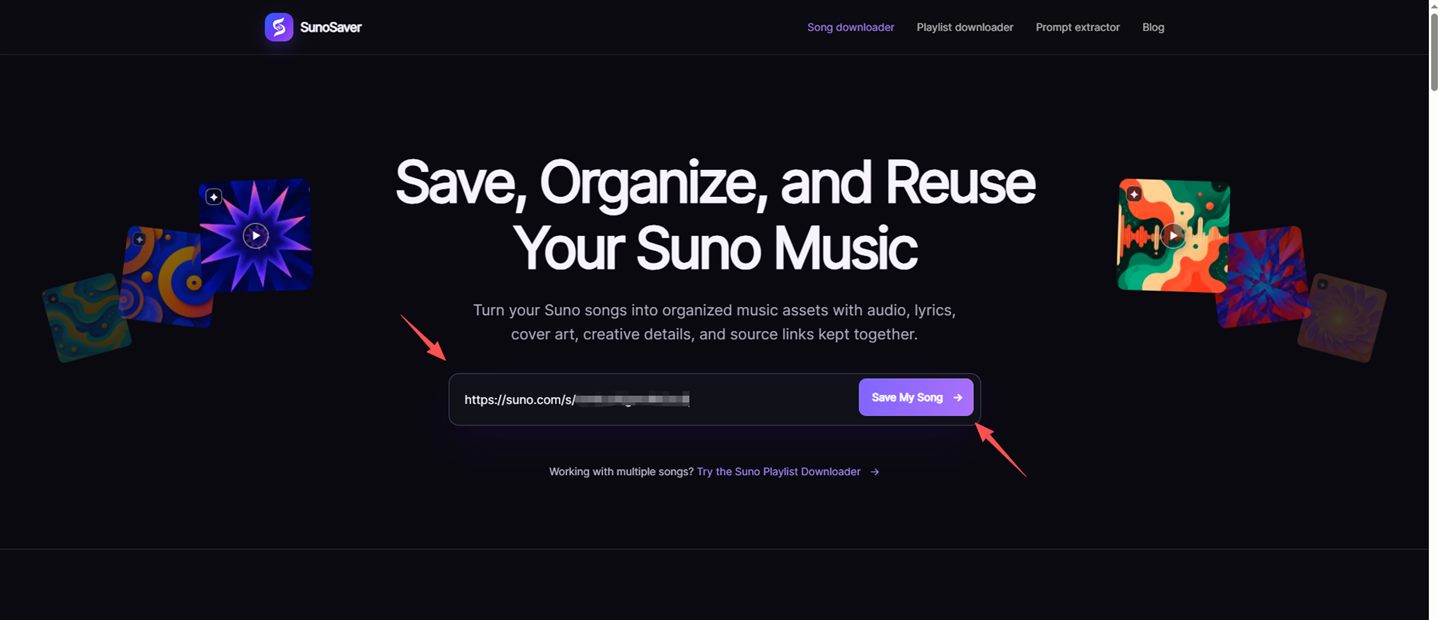
Review and download the available file
Check the title and available formats, then choose the file that fits your intended use.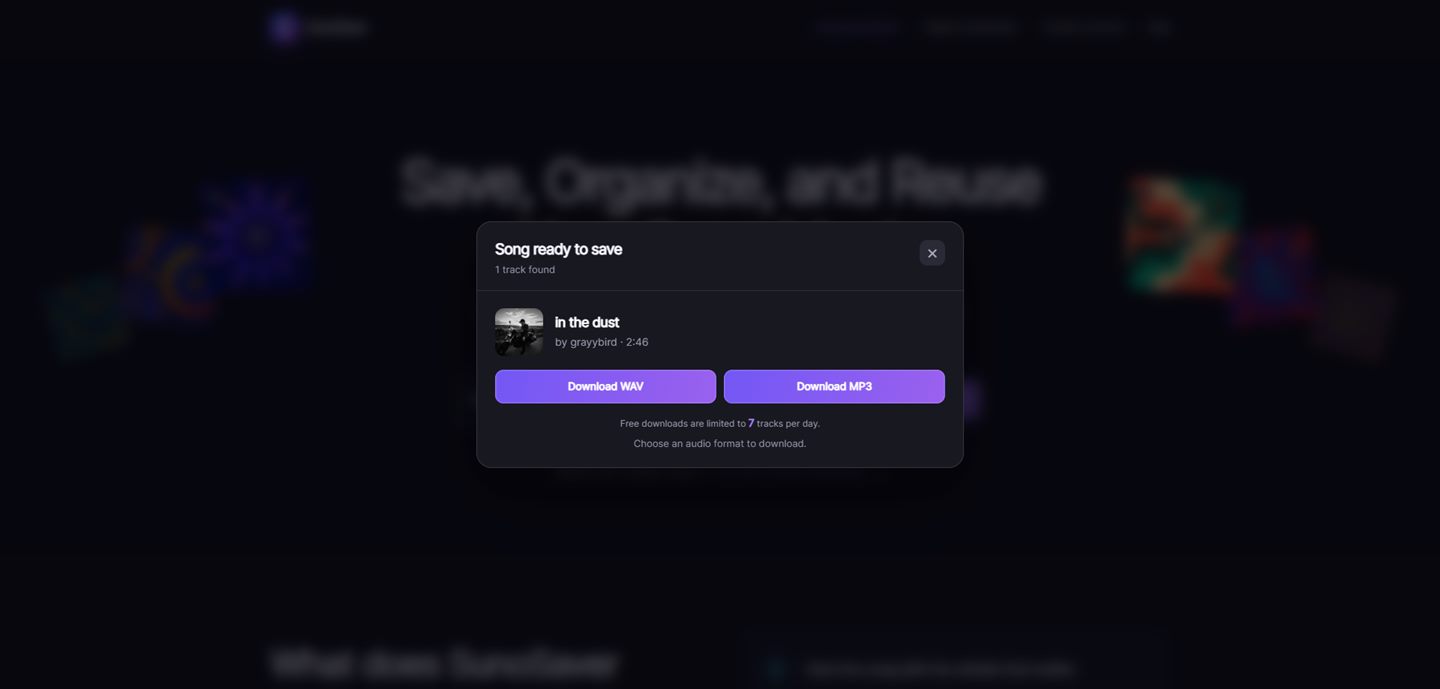
Keep the identifying details
Store the original link and the details that help you distinguish this version later.
Make the file easy to find later
Use a consistent filename
Use a filename that answers the questions you will have later: what is this track, which version is it, and where did it come from? A simple, consistent naming pattern is easier to search than a folder full of generic exports.
midnight-echo_v3_synthwave_2026-08-11.mp3If you are reviewing several related tracks, use the Suno Playlist Downloader to keep the collection focused. If you need the visible creative context for a specific track, use the Prompt Extractor.
Common questions
Frequently asked questions
Can I download any Suno song?
Only download music that you created or are authorized to use. Downloading a file does not change its ownership, license, or commercial-use rights.
What details should I keep with a saved song?
Keep the original source link, a recognizable title, and any available artwork, lyrics, style, genre, mood, vocal, instrument, or prompt information that will help you identify the song later.
Why keep the source link with the file?
The source link helps you trace a saved song back to its original page when you need to review its context, versions, or applicable rights.
Next step
Ready to start?
Download your song with SunoSaver.
Paste an accessible Suno song link to see the available download options.
Download a Song